Overview
The Catalog is your central hub for exploring and understanding your data landscape. It provides a hierarchical view of all your data sources, schemas, tables, and columns, making data discovery intuitive and efficient.
Key capabilities include:
- Data Discovery: Browse your metadata at any level from data source down to individual columns
- Trust Scoring: View trust scores and quality metrics to understand data reliability
- Test Coverage: Identify testing gaps and see which objects have associated tests
- Data Profiling: Access profile statistics and data quality insights
- Metadata Management: Add business context through friendly names, descriptions, and tags
Navigating the Catalog
The Catalog is organized in a hierarchical structure that you can navigate using either the tree view on the left or by clicking through the data grid.
Data Source Level
The main Catalog view displays all your connected data sources with summary statistics.
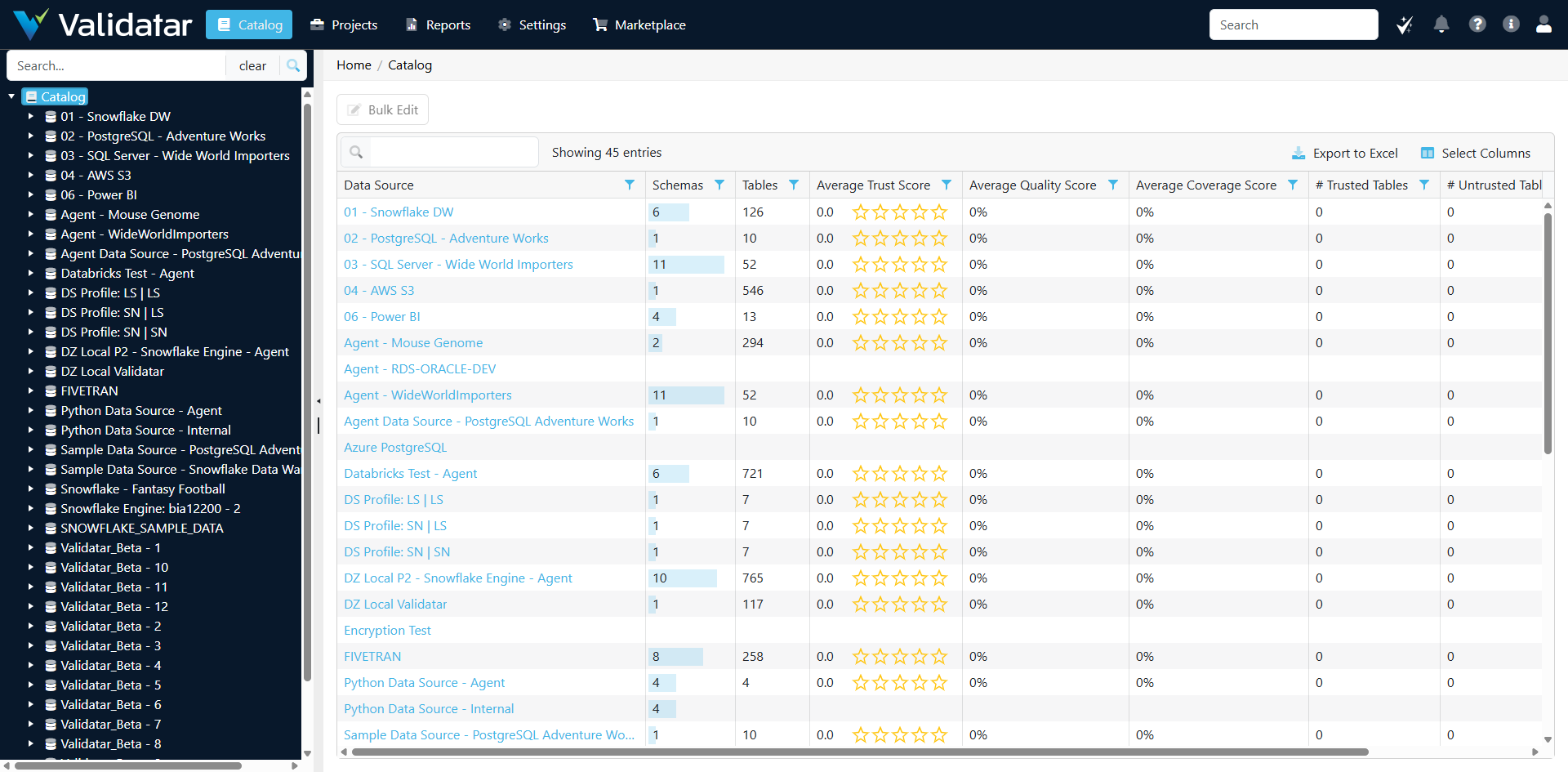
| Column | Description |
|---|---|
| Data Source | The name of the data source connection |
| Schemas | Count of schemas in the data source |
| Tables | Count of tables and views in the data source |
| Average Trust Score | The average trust score across all tables |
| Average Quality Score | The average data quality score |
| Average Coverage Score | The average test coverage percentage |
| # Trusted Tables | Count of tables marked as trusted |
| # Untrusted Tables | Count of tables marked as untrusted |
| # Unknown Tables | Count of tables without a trust designation |
Schema Level
Click on a data source to view its schemas. Each schema shows aggregate metrics for its contained tables.
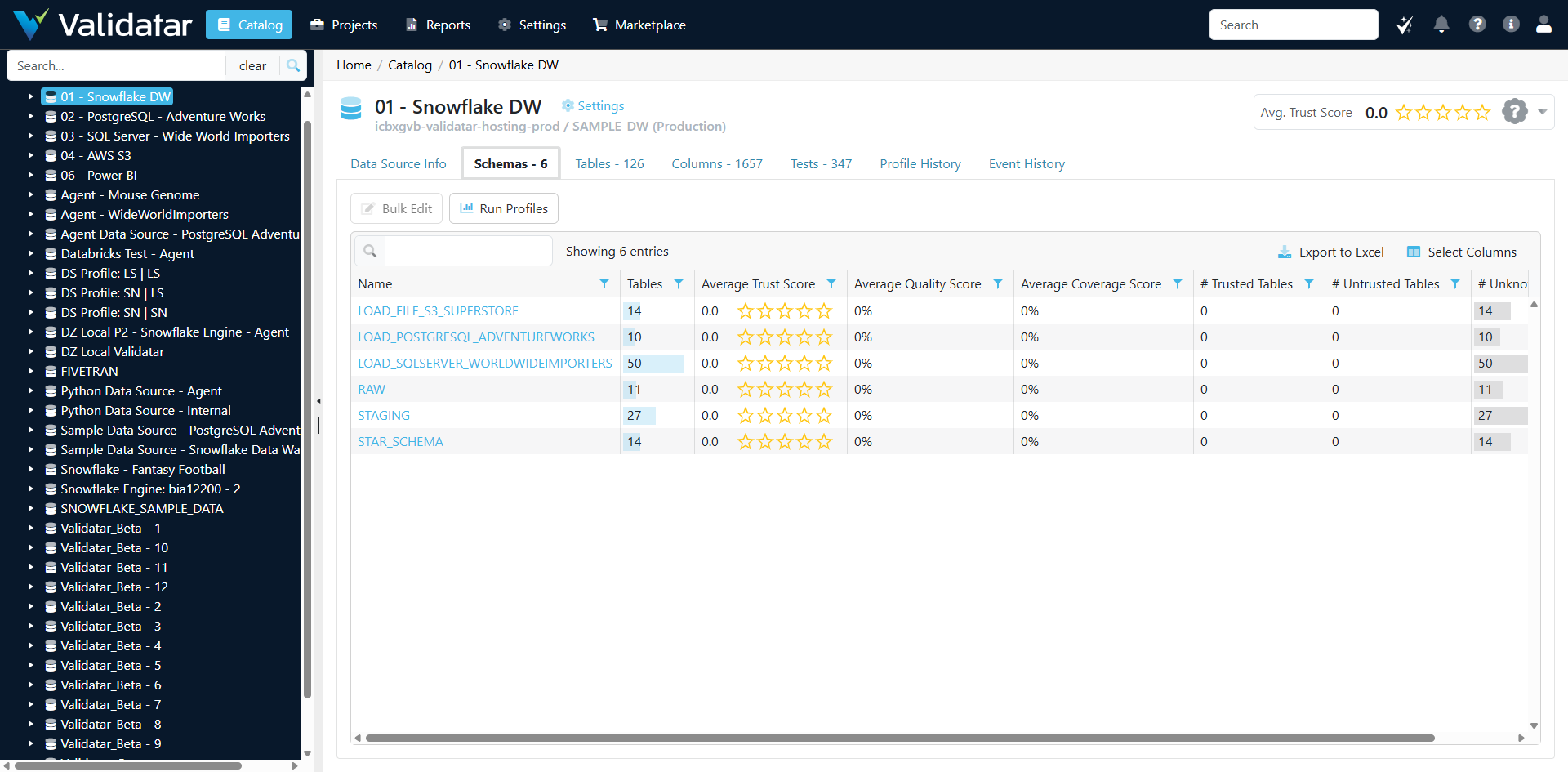
| Column | Description |
|---|---|
| Name | The schema name |
| Tables | Count of tables in the schema |
| Average Trust Score | Average trust score for tables in this schema |
| Average Quality Score | Average quality score for the schema |
| Average Coverage Score | Average test coverage for tables in this schema |
| # Trusted Tables | Count of trusted tables |
| # Untrusted Tables | Count of untrusted tables |
| # Unknown | Count of tables without trust designation |
Table Level
Drill into a schema to see all its tables with detailed metrics.
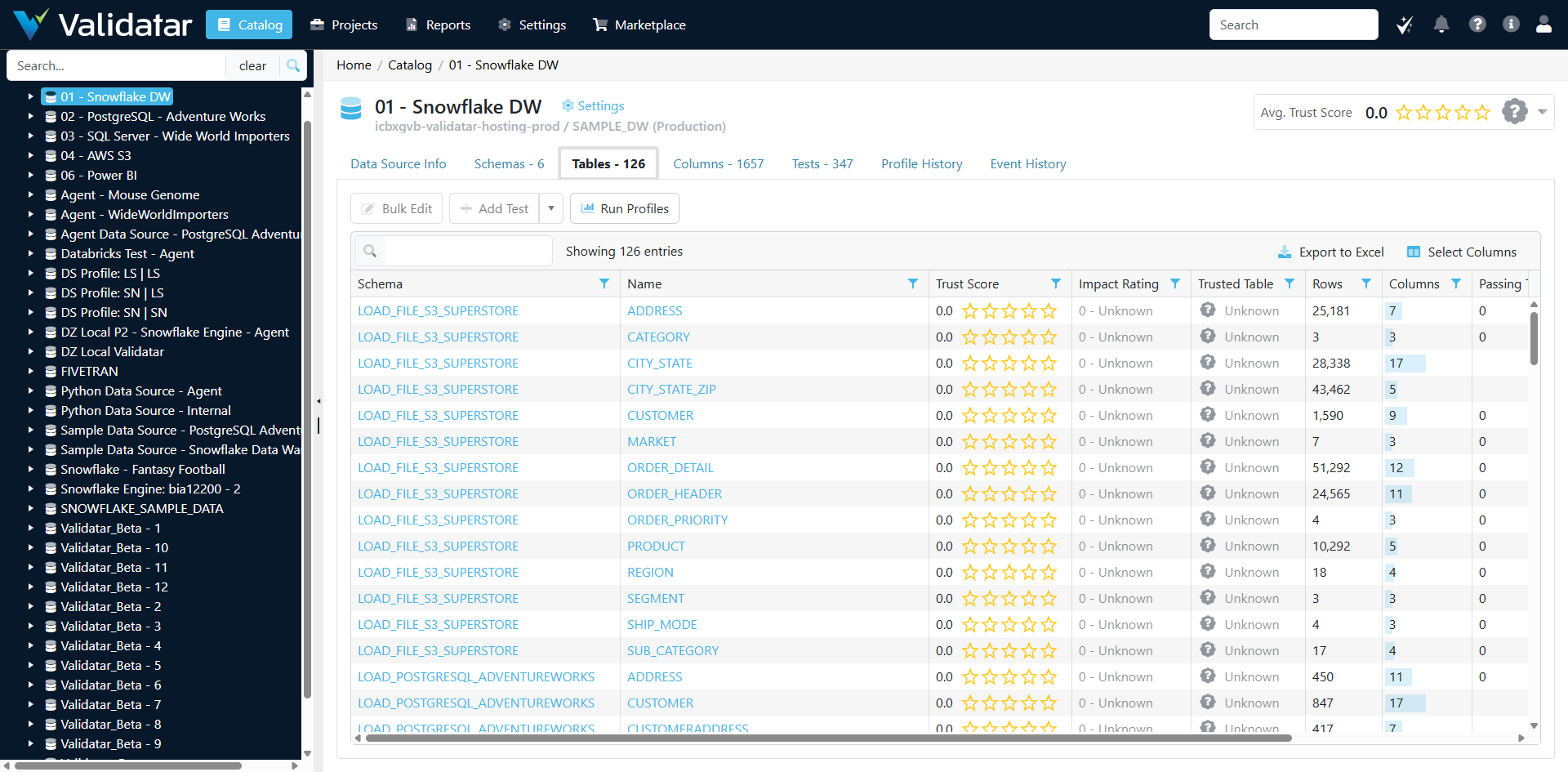
| Column | Description |
|---|---|
| Schema | The schema containing the table |
| Name | The table name |
| Trust Score | The table's trust score (0-5 stars) |
| Impact Rating | The table's business impact rating |
| Trusted Table | Whether the table is marked as trusted |
| Rows | Row count from the last profile |
| Columns | Number of columns in the table |
| Passing | Count of passing tests linked to this table |
From the table level, you can:
- Bulk Edit: Update metadata for multiple tables at once
- Add Test: Create a new test linked to the selected table
- Run Profiles: Execute data profiling on selected tables
Column Level
Click on a table to view its columns with profile statistics and test results.
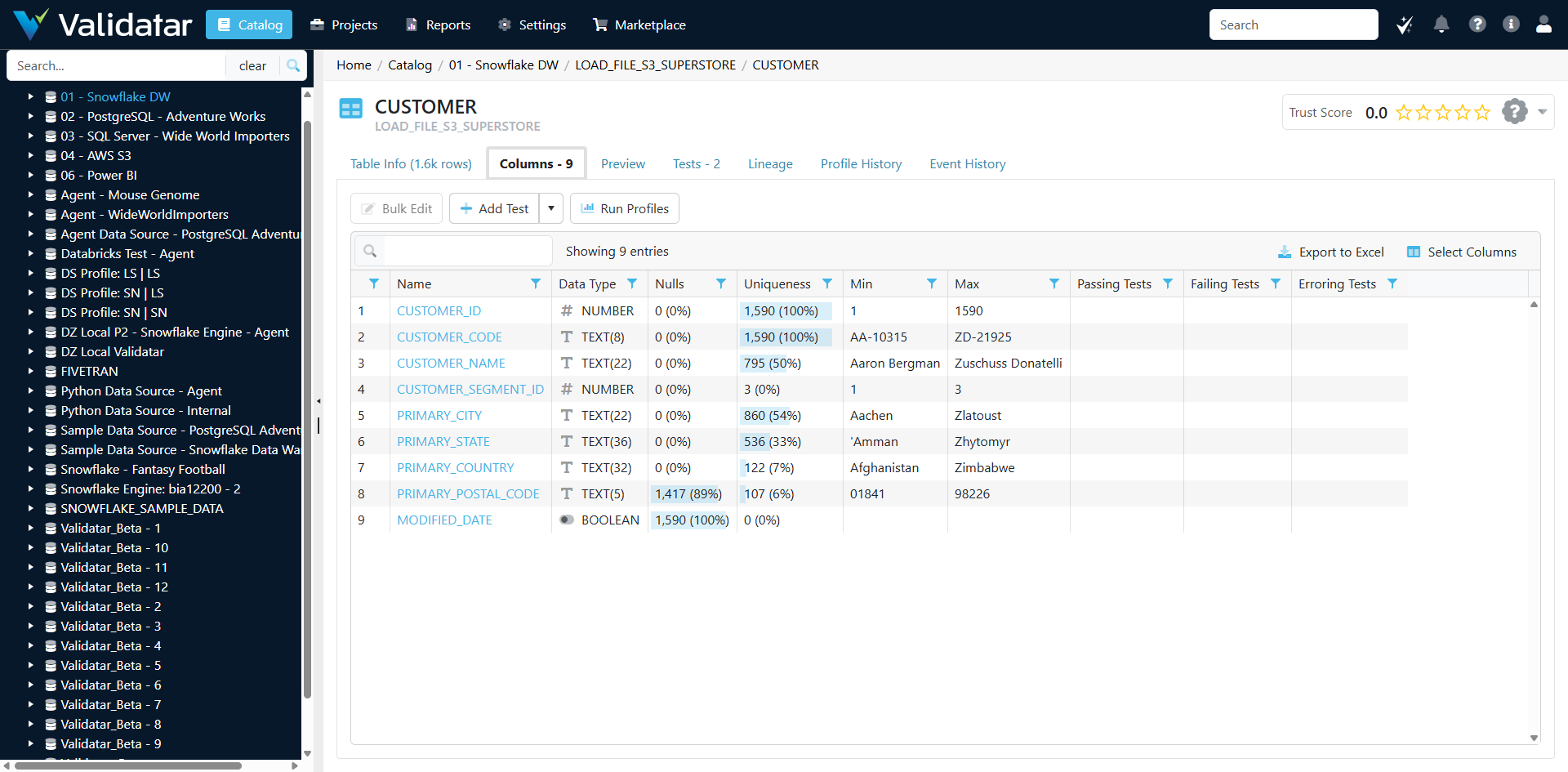
| Column | Description |
|---|---|
| Name | The column name |
| Data Type | The column's data type |
| Nulls | Count and percentage of null values |
| Uniqueness | Count and percentage of unique values |
| Min | Minimum value (for numeric/date columns) |
| Max | Maximum value (for numeric/date columns) |
| Passing Tests | Count of passing tests for this column |
| Failing Tests | Count of failing tests for this column |
| Erroring Tests | Count of erroring tests for this column |
Additional Features
Each level in the Catalog provides additional tabs for deeper analysis:
- Data Source Info / Table Info: View and edit metadata properties
- Preview: See sample data from tables
- Tests: View all tests linked to the object
- Lineage: Visualize data lineage relationships
- Profile History: Review historical profile statistics
- Event History: Track changes and activities
Tips
- Use the Search box to quickly find specific objects by name
- Click Export to Excel to download the current view for offline analysis
- Use Select Columns to customize which columns are displayed in the grid
- The left tree navigation allows quick jumping between data sources without losing context