Overview
Two Python scripts bring what Atlan knows about your warehouse into Validatar, and a third prepares Atlan for the results Validatar publishes:
atlan_custom_metadata.pyfills the Atlan section of the Validatar catalog on one warehouse data source: qualified names and links, descriptions, owners, tags, glossary terms, certificates, announcements, data domains and products, popularity and any Atlan custom metadata you name, at data source, schema, table and, optionally, column level.atlan_lineage.pyloads Atlan lineage between the connections you list as Validatar lineage, so a failed test shows what sits downstream.atlan_setup.pycreates the Validatar custom metadata set and its colour badges in Atlan. An Atlan admin runs it once. Atlan Custom Metadata for Validatar covers it, and the manual route, in full.
They are part of the Atlan Integration. Publishing Validatar results to Atlan is done by the Atlan Data Source Template, not by these scripts.
Marketplace: Atlan Metadata and Lineage Scripts (a download; it is not imported)
What is in the download
| File | What it is |
|---|---|
atlan_custom_metadata.py |
The metadata script. Paste it into a Custom Metadata source on a warehouse data source |
atlan_lineage.py |
The lineage script. Paste it into a Lineage Ingestion source |
atlan_setup.py |
Creates the Validatar custom metadata set and badges in Atlan, or prints the list to create them by hand |
atlan_helpers.py |
Shared code for running the scripts from the command line. Inside Validatar the Atlan data source template provides the same code |
README.md, README.docx |
The full guide: every setting, every field filled, setup steps and troubleshooting |
requirements.txt, VERSION |
Python packages for command-line use (pandas and pyatlan==11.4.*), and the package version |
How the pieces fit
Every Atlan connection in Validatar uses the Atlan data source template with the same settings: the same tenant URL and the same credentials. What differs from one warehouse to the next sits at the top of the script, in plain Python:
# ---- 1. WHICH ATLAN CONNECTION ----
ATLAN_CONNECTION_QUALIFIED_NAME = "default/snowflake/1657025257"
ONLY_SCHEMAS = []                # e.g. ["PUBLIC", "FINANCE"]; empty means all
Below that, section 2 switches each field on or off, and a block describes the dataframes the script returns, with an example row. The template's pre-execution script carries the shared code: the Atlan client built on Atlan's official Python SDK (pyatlan), the Validatar client, name matching, and a request limit that keeps the integration under Atlan's 400 calls a minute for the tenant. The script itself stays short enough to read.
To connect another warehouse, copy the script into that data source's Custom Metadata source and change section 1. Each process has its own connection, so enter the same Atlan settings on each.
Before you start
- From the marketplace, import the Atlan Data Source Template and the Atlan Catalog Custom Fields. The fields must exist before the first run: Validatar ignores a script column that has no field with the same reference key.
- Install
pyatlan==11.4.*in the Python that runs Validatar scripts: under Settings > Configuration for the Validatar server or cloud runtime, or through the Data Agent's Python module install when your scripts run on an agent, then restart the Data Agent service. Demo Mode needs no install. The first script after a restart takes longer while pyatlan loads. - In Atlan: an OAuth client or an API token, with personas that cover the connections you want. A token or client without personas sees only the connections it created.
- In Validatar: Govern Edition for catalog custom fields; for lineage, the Data Lineage feature and the Global Lineage Metadata Admin role.
- Run technical metadata ingestion on your warehouse data sources first. The scripts only write to schemas, tables and columns that Validatar has cataloged.
What the metadata script brings back
| Level | Fields |
|---|---|
| Data source | Atlan Connection Qualified Name, Connection Name, Connector, Connection Link, Data Source Synced |
| Schema | Atlan Schema Qualified Name, Link, Description, Tags, Domains (of the schema and of its tables), Synced |
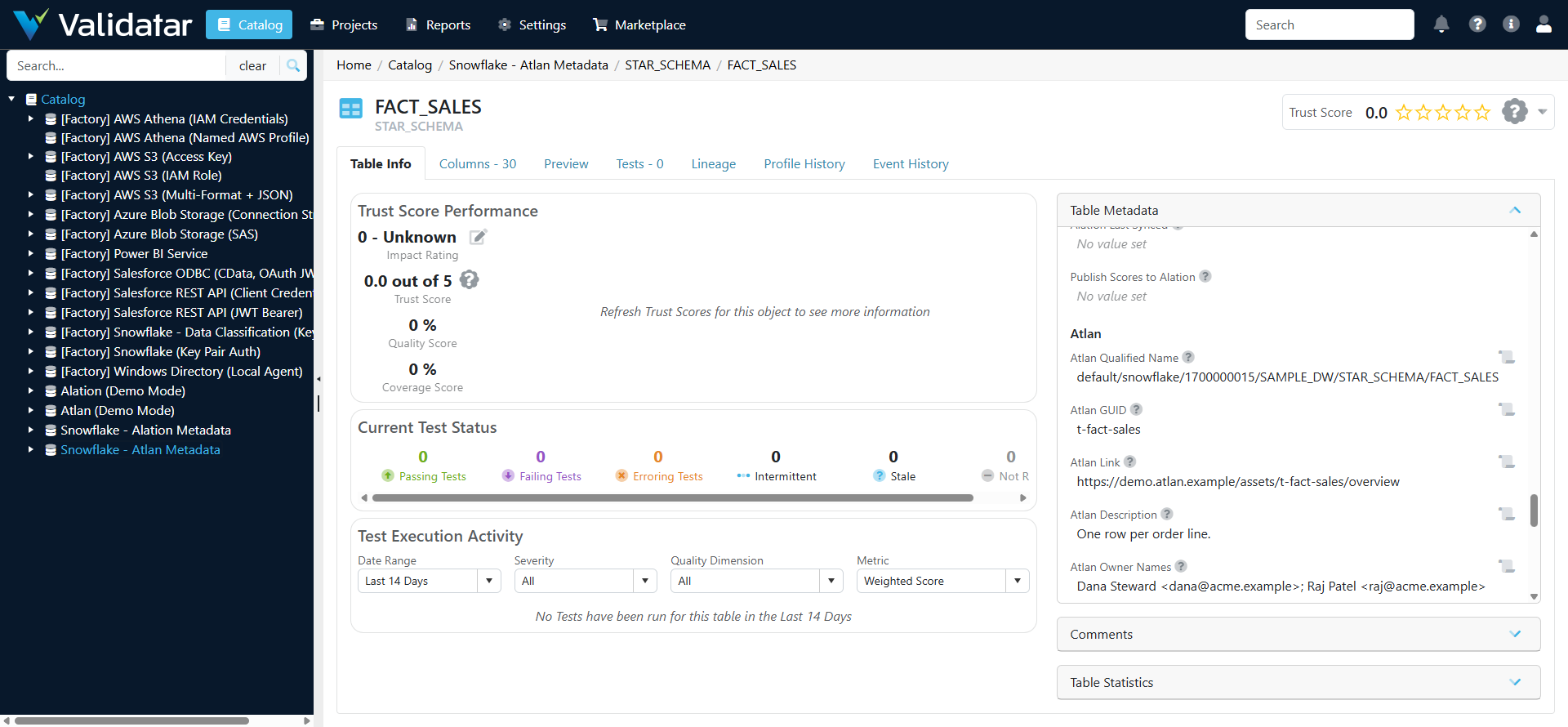
| Table | Atlan Qualified Name, GUID, Link, Description, Owner Names, Tags, Propagated Tags, Terms, Certificate (Verified, Draft, Deprecated or None), Certificate Message, Announcement, Domains, Data Products, Popularity, Last Crawled, Last Synced |
| Column (optional) | Atlan Column Qualified Name, Link, Description, Tags, Terms, Synced |
Section 2 of the script controls what comes back:
| Setting | What it does |
|---|---|
TABLE_FIELDS, SCHEMA_FIELDS, DATA_SOURCE_FIELDS, COLUMN_FIELDS |
Turn each field on (True) or off (False). An off field is not sent, so a value set some other way is kept |
INCLUDE_COLUMNS |
Add column-level values. Off by default; it costs one more paged Atlan search over all the connection's columns |
ATLAN_CUSTOM_METADATA |
Copy Atlan custom metadata onto tables: {"Data Steward.Data Owner": "atlan_data_owner"}. Create each Validatar field first |
OWNERS_AS_VALIDATAR_USERS, VALIDATAR_USER_NAMES |
Also fill the user/group field Atlan Owners, for the owners you list by Validatar user name |
Validatar rejects the whole run if one value in a user/group field is not a Validatar user, or if a Dropdown field receives a value that is not one of its options. Those are the two settings to change with care.
Set up the metadata script
- Open the warehouse data source and go to Custom Metadata > Metadata Sources > New Source > New Query Source.
- Untick Same as primary and Add a connection: Python Script, template Atlan, the agent group if your Python runs on a Data Agent, and your Atlan settings. The Validatar URL and token are not needed for this script.
- Save, then Configure Ingestion Script: paste
atlan_custom_metadata.py, set section 1, and tick Ignore Missing Metadata Objects so Atlan assets Validatar has not cataloged are skipped instead of failing the run. - Preview Script shows the rows for each level before anything is written.
- Update Ingestion Script, Save, Refresh Now, then Set Refresh Schedule (usually daily). Metadata Ingestions lists what was added, modified and skipped at each level.
Note: Validatar gives each data source one custom metadata connection, shared by all its metadata sources. If the data source already has one, for example for the Alation integration, step 2 shows that connection with Edit in place of Add. Editing it changes the connection for the existing sources too, so one data source takes its catalog metadata from Alation or from Atlan, not both.
Set up the lineage script
In section 1, list each Atlan connection with the Validatar data source for the same warehouse:
DATA_SOURCES = [
    ("default/snowflake/1657025257", 12),   # (Atlan connection qualified name, Validatar data source id)
]
LINEAGE_LEVEL = "table"     # or "column"
- Go to Settings > Lineage Metadata > Sources > New Source > New Query Source.
- Add a connection: Python Script, template Atlan, the same Atlan settings, plus Validatar Base URL and Validatar API Token. The script uses the token to read the catalog, so it only sends edges whose two ends Validatar has cataloged: one unknown table fails a whole lineage batch.
- Configure Ingestion SQL: paste
atlan_lineage.py. Preview Script shows the edges. - Update Ingestion SQL, Save, then Run Import. Validatar asks which data source each server and database pair belongs to. When more than one Validatar data source points at the same warehouse and database, it suggests one of them, so check that the choice matches the Validatar id in
DATA_SOURCESbefore you choose Run. - Set Refresh Schedule (usually weekly).
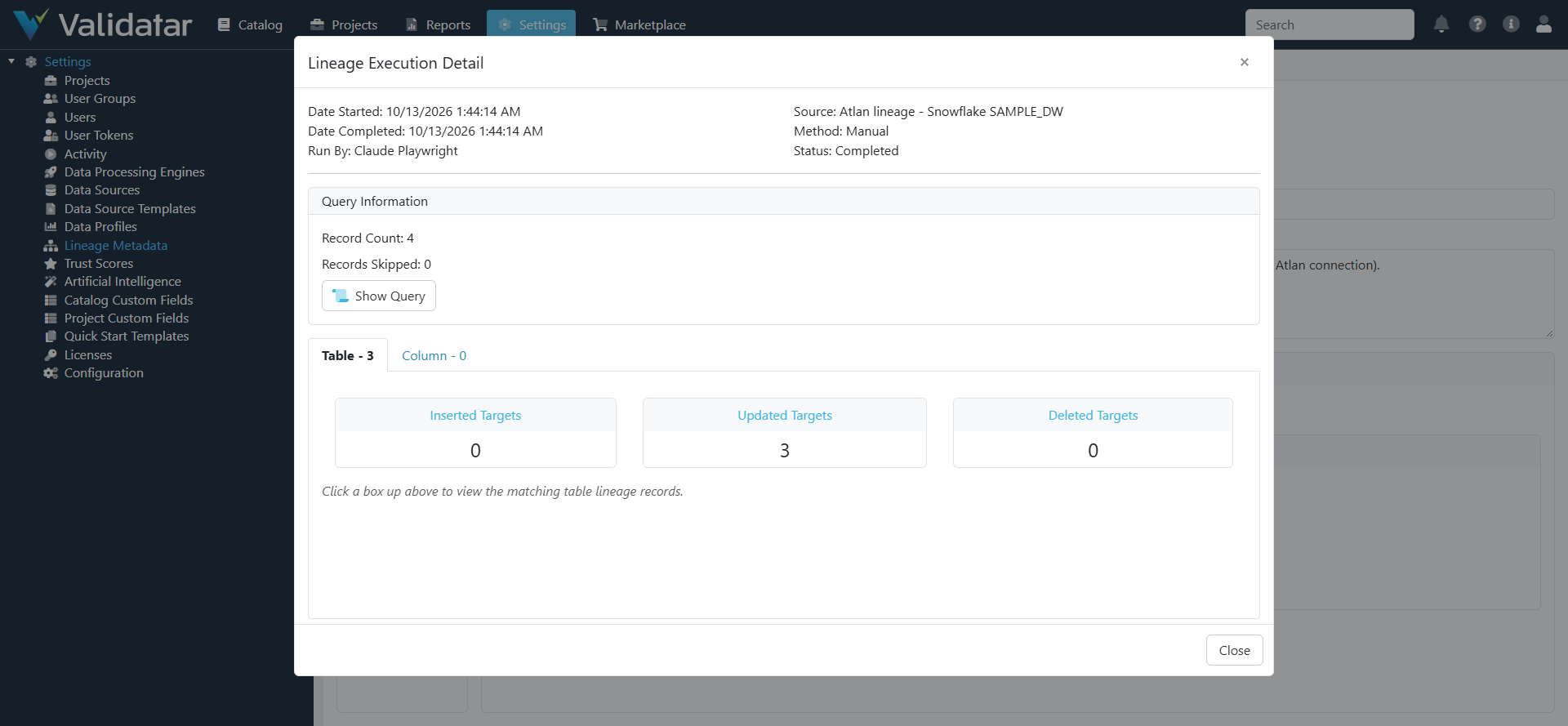
The run message counts what was left out: upstream assets outside the listed connections or not cataloged in Validatar, and tables with Atlan lineage that Validatar has not cataloged. Column level costs one Atlan lineage call per column, so start with tables. Each run replaces the sources of every target table it sends, so hand-edited lineage on those tables does not survive the next run.
Run from the command line
Use this to see the dataframes before setting anything up in Validatar, or to run the scripts from your own scheduler. Keep the .py files in one folder, install requirements.txt, and set ATLAN_BASE_URL, ATLAN_AUTH_METHOD (oauth or api), the OAuth client id and secret or ATLAN_API_KEY, VALIDATAR_BASE_URL and VALIDATAR_API_TOKEN.
| Command | What it does |
|---|---|
python atlan_custom_metadata.py |
Prints what would be written |
python atlan_custom_metadata.py --apply |
Writes it to the data source in VALIDATAR_DATA_SOURCE_ID (section 3 of the script) |
python atlan_lineage.py |
Writes atlan_lineage.csv, which a Validatar File lineage source can also load |
Try it without Atlan
Set Demo Mode to Yes on the Atlan connection in Validatar, or set ATLAN_DEMO_MODE=1 on the command line. The scripts then answer from a built-in sample tenant, nothing is sent to Atlan, and pyatlan is not needed. The lineage script still reads the Validatar catalog, so it needs the Validatar URL and token even in Demo Mode.
| Sample connection | Qualified name | What it holds |
|---|---|---|
| Snowflake PROD | default/snowflake/1700000001 |
SALES_DB: orders, customers, a deprecated raw feed |
| Snowflake SAMPLE_DW | default/snowflake/1700000015 |
The table names of a common Validatar sample warehouse (STAR_SCHEMA.DIM_CUSTOMER, FACT_SALES, RAW.CLAIM and others) with owners, tags, terms, certificates, domains, products and lineage |
| PostgreSQL CRM | default/postgres/1700000009 |
A stale connection with few owners or descriptions |
| Tableau Cloud | default/tableau/1700000003 |
One dashboard, downstream of the deprecated feed |
Troubleshooting
| Symptom | Fix |
|---|---|
| "pyatlan is not installed" | Install pyatlan==11.4.* in the Python that runs Validatar scripts, or turn Demo Mode on |
| "cannot import name 'Sentinel' from 'typing_extensions'" | pyatlan was installed while the Data Agent was running. Restart the Data Agent service |
| "Atlan connection ... not found" | Copy the qualified name from the Atlan data source's catalog (schema Connection), and check that the credentials' personas cover the connection |
| The run succeeds but a field stays empty | Import the Atlan Catalog Custom Fields set, and check that any mapped key matches a Validatar field |
| The run fails on a missing table or column | Tick Ignore Missing Metadata Objects in Configure Ingestion Script |
| Lineage appears on the wrong data source | Run Import again and pick the right data source in the mapping step |
| "Validatar base URL is required" from the lineage script | Fill Validatar Base URL and Validatar API Token on the connection |
| HTTP 429, or a pause of about a minute | Lower Atlan Requests Per Minute on the connection, or schedule runs apart |
Related
- Atlan Integration
- Atlan Catalog Custom Fields
- Atlan Data Source Template
- Atlan Custom Metadata for Validatar
- Atlan Instance Health Checks
Note: Both Validatar scripts have run end to end inside Validatar against a built-in sample Atlan tenant. On a Snowflake data source the metadata script stored 5 data source, 9 schema, 86 table and 52 column values, and the lineage script loaded 4 table edges. Runs from the unpacked download gave the same results. The Atlan client has also been exercised through pyatlan 11.4.1 against a simulated Atlan server. The scripts have not yet run against a live Atlan tenant, so expect small adjustments after your first live run.