Overview
The Atlan data source template connects Validatar to Atlan in both directions from a single data source. That data source holds the credentials for both the Atlan and the Validatar APIs, and everything in the Atlan integration runs on its connection:
- Publishing to Atlan. Two macros publish Validatar trust scores, a score per quality dimension and the test results you choose to Atlan. By default they write the Validatar custom metadata set, which Atlan shows on each table with green, yellow and red badges. A preview option also writes Atlan's external data quality structure.
- Cataloging the Atlan tenant. Ingesting the data source's metadata turns Atlan's own objects (connections, glossaries and terms, tags, custom metadata, data domains and products, personas, purposes, groups and recent workflow runs) into Validatar tables, which the Atlan Instance Health Checks pack tests.
- Pulling from Atlan. The Atlan Metadata and Lineage Scripts run as Custom Metadata and Lineage Ingestion sources on connections built from this template, with the same Atlan settings. What is specific to each warehouse sits at the top of each script. The metadata script fills the Atlan Catalog Custom Fields.
Marketplace: Atlan - Data Source Template
How It Works
- One template, several hosts. The template's pre-execution script holds the Atlan client, the Validatar client and the code the metadata and lineage scripts share. It runs before every script on a connection built from the template: the data source's own metadata ingestion, the two macros, tests on the data source, and the Custom Metadata and Lineage Ingestion sources that use the template.
- Built on Atlan's Python SDK. Every Atlan call goes through pyatlan, Atlan's official Python SDK, pinned to version 11.4. pyatlan is loaded only when Demo Mode is off, so the template imports and runs in demo mode on any Validatar instance without it. To connect to a real tenant, install
pyatlan==11.4.*once into the Python that runs Validatar scripts: under Settings > Configuration (the scripting Python modules) for the Validatar server or cloud runtime, or through the Data Agent's Python module install when the data source runs on a Data Agent. Keep the pin, because pyatlan renames attributes between minor versions. On a Data Agent, restart the agent service after the install: a running agent keeps the Python packages it has already loaded, and pyatlan does not import until it restarts. On a Data Agent, the first script after the agent starts takes about seven seconds longer while pyatlan loads; later scripts reuse the loaded SDK. - Atlan objects become tables. Metadata ingestion catalogs the Atlan tenant itself. Each object type is a schema, each object a table named
<name> [<id>], and each of the object's properties a column whose comment holds the current value. Only the Standard Fields every Validatar instance ships are written (friendly name, description, tags), so the object catalog needs no custom field setup. Validatar compares table names without regard to case, so when two objects would share a name, such as the glossary terms "Order" and "order", the second one gets its full id. - Nothing is written to Atlan unless you ask. Ingestion and the health checks only read. Publishing writes three things, and nothing else: the values of the Validatar custom metadata set on matched tables, the Validatar entry of the external data quality structure when that target is chosen, and announcements whose title starts with
Validatar:. Dry Run is on by default. - Demo mode. With Demo Mode on, every Atlan call is answered from a built-in sample tenant: a fictional company with four connections (Snowflake PROD, Snowflake SAMPLE_DW, PostgreSQL CRM and Tableau Cloud) whose metadata is healthy in most places and has a few deliberate problems. Use it to try the template, the health checks and the scripts before Atlan credentials exist. Nothing is sent to Atlan while it is on, and pyatlan is not needed.
Authentication
Atlan supports two sign-in methods, chosen with Atlan Auth Method:
| Method | Where the credential comes from | How it is used |
|---|---|---|
| OAuth Client (default) | An Atlan admin creates an OAuth client under Admin > API access > OAuth clients and gives it a role and personas. Copy the client ID and the client secret, which is shown once. | pyatlan exchanges the ID and secret for a short-lived token on every run |
| API Token | An Atlan admin generates an API token under Admin > API access, with personas and an optional expiry. The token is shown once; note its expiry date. | Sent as a bearer token on every call |
What the Atlan identity needs. Personas decide which connections the integration can read and update. A token or client without personas sees only the connections it created. Within those connections the integration needs:
- read access to assets and lineage, for ingestion, the health checks and the metadata and lineage scripts
- permission to update custom metadata values (the Validatar set), for publishing
- permission to update assets, for the external data quality target and for announcements
- an admin role to list API tokens and users, which two of the health checks do
An object type or check the identity may not read is reported as not permitted rather than passing. Permission errors fail at once: the template retries throttling (HTTP 429) and server errors up to four times with back-off, but never a 401 or 403, so a missing persona shows on the first run.
Request limit. Atlan allows 400 API requests a minute for the whole tenant and blocks for a minute when that is exceeded. Atlan Requests Per Minute (300 by default) caps what one script sends, leaving room for other tools on the tenant.
Validatar. An API token sent as the x-val-api-token header, with the Catalog, Authoring and DataSteward scopes. Publishing and the lineage script need it. The object catalog, the health checks and the metadata script do not, although with a token the Connection schema of the object catalog also suggests which Validatar data source matches each Atlan connection.
Connection Parameters
| Parameter | Required | Default | Purpose |
|---|---|---|---|
| Atlan Base URL | Yes | Your Atlan tenant URL, for example https://acme.atlan.com, with no trailing slash |
|
| Atlan Auth Method | Yes | OAuth Client | OAuth Client or API Token |
| Atlan OAuth Client ID | OAuth Client | The OAuth client's ID | |
| Atlan OAuth Client Secret | OAuth Client | The OAuth client's secret | |
| Atlan API Token | API Token | The API token | |
| Demo Mode | Yes | false | Answer every Atlan call from the built-in sample tenant. Needs no pyatlan install |
| Atlan Requests Per Minute | No | 300 | Upper limit on Atlan API calls per minute from one script |
| Validatar Base URL | For publishing and lineage | Your Validatar URL, for example https://acme.cloud.validatar.com |
|
| Validatar API Token | For publishing and lineage | A Validatar API token with the Catalog, Authoring and DataSteward scopes | |
| Atlan Connection Map | For publishing | Which Validatar data source is which Atlan connection, as <Validatar data source id>=<connection qualified name> separated by ;, for example 12=default/snowflake/1700000001; 3=default/snowflake/1700000015. The metadata and lineage scripts carry their own settings |
|
| Publish Scope | Yes | Trust + Dimensions | Trust Score; Trust + Dimensions; Trust + Dimensions + Tests |
| Publish Tests | Yes | Opted-in tests | Opted-in tests or All tests |
| Publish Dimensions | No | every dimension with tests | Limit dimension scores to a list, for example Completeness,Validity,Timeliness |
| Publish Target | Yes | Custom Metadata | Custom Metadata; External DQ (preview); Both |
| Custom Metadata Set Name | No | Validatar | The Atlan custom metadata set Validatar writes. Change it only if the set was created under another name |
| Score Good At | Yes | 90 | A score at or above this is GREEN. Match the badge thresholds set up in Atlan |
| Score Warning At | Yes | 75 | A score at or above this and below Good is YELLOW; below it, RED |
| Use Impact Rating Targets | Yes | true | In the publish test's report, use a table's impact rating target as its Good threshold. Atlan's badges keep their fixed thresholds |
| Post Announcements | Yes | false | Put a Warning announcement on a table when a test marked Announce Failures in Atlan fails, and remove it when all pass |
| Atlan Object Types | No | every type except User | Object types to catalog at ingestion, comma-separated |
| Max Objects Per Type | No | 5000 | Upper limit on objects cataloged per type |
| Dry Run | Yes | true | Read and report, but write nothing to Atlan or to test custom fields |
Finding connection qualified names
Atlan names each connection default/<connector>/<number>, for example default/snowflake/1700000001. After the first metadata ingestion, the Connection schema of the Atlan data source lists every connection the integration can see, with its qualified name, its host, and the Validatar data source it is mapped to in Atlan Connection Map. An unmapped connection shows a suggested Validatar data source when one has the same host. Build the map from those rows.
Capabilities
Metadata Ingestion: the Atlan Object Catalog
| Schema | What each table is | Table name example |
|---|---|---|
| Connection | An Atlan connection, with its connector, host, last crawl, admin users, mapped Validatar data source and suggested match | Snowflake PROD [1700000001] (the number from the qualified name) |
| Glossary | A glossary and how many terms it holds | Business Glossary [g-busine] (the first eight characters of the GUID) |
| Glossary Term | A business term, with its glossary, whether it has a definition, its certificate and owners | Order [term-ord] |
| Atlan Tag | An Atlan tag definition | PII [aBc1] (the tag's internal name) |
| Custom Metadata | A custom metadata set, with its attributes and archived attributes. The Validatar set is tagged Validatar | Validatar [Validatar] |
| Data Domain | A data domain, its parent domain, how many assets it holds and its owners | Marketing [dom-mkt] |
| Data Product | A data product, its status, domain and owners | Sales Performance [prod-sal] |
| Persona | A persona (access policies by role) and whether it is enabled | Data Stewards [per-stew] |
| Purpose | A purpose (access policies by tag) and whether it is enabled | PII Protection [pur-pii] |
| Group | A group and its member count | Analysts [analysts] |
| User | A user, whether enabled, last login and created date. Opt-in through Atlan Object Types, because it holds names and emails | Dana Steward [dana] |
| Workflow Run | A crawler or app run completed in the last seven days, with its status and workflow | snowflake-prod-crawler-2bx9 [run-1] |
| Ingestion Summary | One table per object type: Loaded, Loaded (truncated) when capped by Max Objects Per Type, Not selected, Skipped: not permitted, Not available on this tenant, or Failed | Connection |
Workflow runs are read from Atlan's app runs. A tenant that still runs legacy workflows may list none; this has not yet been checked on a live tenant.
Links to Atlan objects are built as <Atlan Base URL>/assets/<guid>/overview. Atlan does not document this path, so open one link after the first real ingestion to confirm it on your tenant.
Macros
| Macro | Type | Use |
|---|---|---|
| Publish to Atlan | Test data set | The data set of a test on the Atlan data source, placed last in a scheduled test job. Publishes scores and the selected tests for every mapped data source and returns one row per table and target. Its optional parameter Validatar Data Source IDs limits it to some mapped data sources, as a comma-separated list such as 12,3 |
| Push Test Result to Atlan | Standard test action | A Run Macro step in a test action on a standard test. Republishes that test's table as soon as the test runs. Set its parameters to {{test_url}}, {{test_name}} and {{result}} |
What the publish test returns. One row per table and target, with these columns:
| Column | Holds |
|---|---|
outcome |
published, dry run, skipped (the table's Publish Scores to Atlan is No), unmatched (no Atlan table or view with that schema and name in the mapped connection) or no scores (matched, but no Validatar test has run against the table yet) |
validatar_data_source_id, schema, table |
The Validatar table |
atlan_qualified_name |
The Atlan table or view it was matched to |
target |
Custom metadata: Validatar, External DQ (preview) or Announcement |
trust_score, band |
The trust score and its GREEN, YELLOW or RED band. Validatar's trust score of 0 to 5 stars is published as 0 to 100, like the quality and coverage scores (4.5 stars is 90) |
dimensions |
The dimension scores published, for example Completeness 100.0, Validity 50.0 |
tests_published, failing_tests |
How many tests were published, and how many of the table's tests failed their latest run |
detail |
What was written, or why not |
Because the publish step is a Validatar test, every publish has a pass or fail history and can alert like any other test. Leave Dry Run on until the rows show what you expect.
How the test action works. A test action receives the test's URL and result, not its table. The action reads the test's Atlan Object Qualified Name field, which the publish test fills the first time it publishes with Dry Run off (or which you set by hand), and republishes that whole table so its scores, counts and failing-test list stay consistent. The table's trust score may lag by one scoring cycle; the test results and dimension scores are current. Until the field is filled the action reports that it skipped the test. It acts on tests that are opted in, or on any test when Post Announcements is on, and ignores results other than Passed, Failed and Error. Test actions fire on standard tests only, and only in projects where a Validatar admin has turned on the Standard Test Actions optional feature.
Where results land in Atlan
| Publish Target | What Atlan receives |
|---|---|
| Custom Metadata (default) | The Validatar custom metadata set on each matched table, view and materialised view: Trust Score, Quality Score, Coverage Score, one <Dimension> Score per quality dimension with tests, Tests Passing, Tests Failing, Tests Erroring, Failing Tests, Impact Rating, Last Run, Last Published and View in Validatar. Each publish replaces the values of this set only, so a dimension that no longer has tests is cleared rather than shown as zero, and other custom metadata on the table is untouched |
| External DQ (preview) | The Validatar entry of Atlan's external data quality structure: an overall score, one score per dimension, and each published test with its latest run. Entries from other tools are kept. When another tool already has an entry on the table, the table-level score is left to that tool |
| Both | Both of the above |
The custom metadata set must exist in Atlan before the first publish with Custom Metadata or Both. Atlan Custom Metadata for Validatar lists every property and shows how to create the set and its badges, by script or by hand.
Note: External DQ is a preview. Atlan does not document the structure for third-party tools, and it has not yet been seen displayed in Atlan for a tool that is not an Atlan partner. Use Custom Metadata or Both until it has been confirmed on your tenant.
Choosing what to publish
Publishing is controlled in three places, from broad to narrow, with a per-table opt-out:
- Publish Scope. Trust Score publishes trust, quality and coverage scores per table. Trust + Dimensions adds one score per quality dimension, limited by Publish Dimensions if set. Trust + Dimensions + Tests adds individual test results.
- Publish Tests. With Opted-in tests, only tests whose Publish to Atlan field is Yes are published. With All tests, every test on a matched table is published unless its field is No.
- Test-level fields. Four project custom fields on the test, in a section named Atlan Publishing:
| Field | Reference key | Type | Purpose |
|---|---|---|---|
| Publish to Atlan | atlan_publish |
Dropdown: Yes, No | Opt the test in or out |
| Atlan Test Name | atlan_test_name |
Short text | The name Atlan shows for the test, in place of its Validatar name |
| Announce Failures in Atlan | atlan_announce_failure |
Dropdown: Yes, No | A failure posts an announcement when Post Announcements is on |
| Atlan Object Qualified Name | atlan_object_qualified_name |
Short text | The Atlan asset the result belongs to. The publish test fills it; set it to a column's qualified name to show a column-level test against its column |
The fields come as their own marketplace item, Atlan Project Custom Fields. Import it once before you publish tests. To create the fields by hand instead, use exactly these reference keys, as described in Configuring Custom Fields.
Table-level opt-out. Set a table's Publish Scores to Atlan field to No to keep it out of Atlan, for example a staging table that is tested but not meant for catalog users. The field is part of the Atlan Catalog Custom Fields set.
How tables are matched. Each entry of Atlan Connection Map pairs a Validatar data source with an Atlan connection. Within a pair, a Validatar table is matched first by its Atlan Qualified Name field, which the metadata script fills, and otherwise by schema and table name among Atlan's tables, views and materialised views. Tables found on one side only are reported as unmatched.
Announcements
With Post Announcements on, a table gets a Warning announcement titled Validatar: <n> critical test(s) failing when a published test whose Announce Failures in Atlan field is Yes fails, and the announcement is removed when those tests pass again. The template changes only announcements whose title starts with Validatar:. When a table already carries someone else's announcement, Validatar leaves it in place and does not post its own. Announcements come from published tests, so they need the Trust + Dimensions + Tests scope.
Custom Fields
The object catalog needs none. Publishing reads two fields of the Atlan Catalog Custom Fields set on each table: Atlan Qualified Name, which the metadata script fills, and Publish Scores to Atlan, the per-table opt-out. Tests opt in and get their Atlan names through the Atlan Publishing test fields above.
Installation
- To connect to a real tenant, install
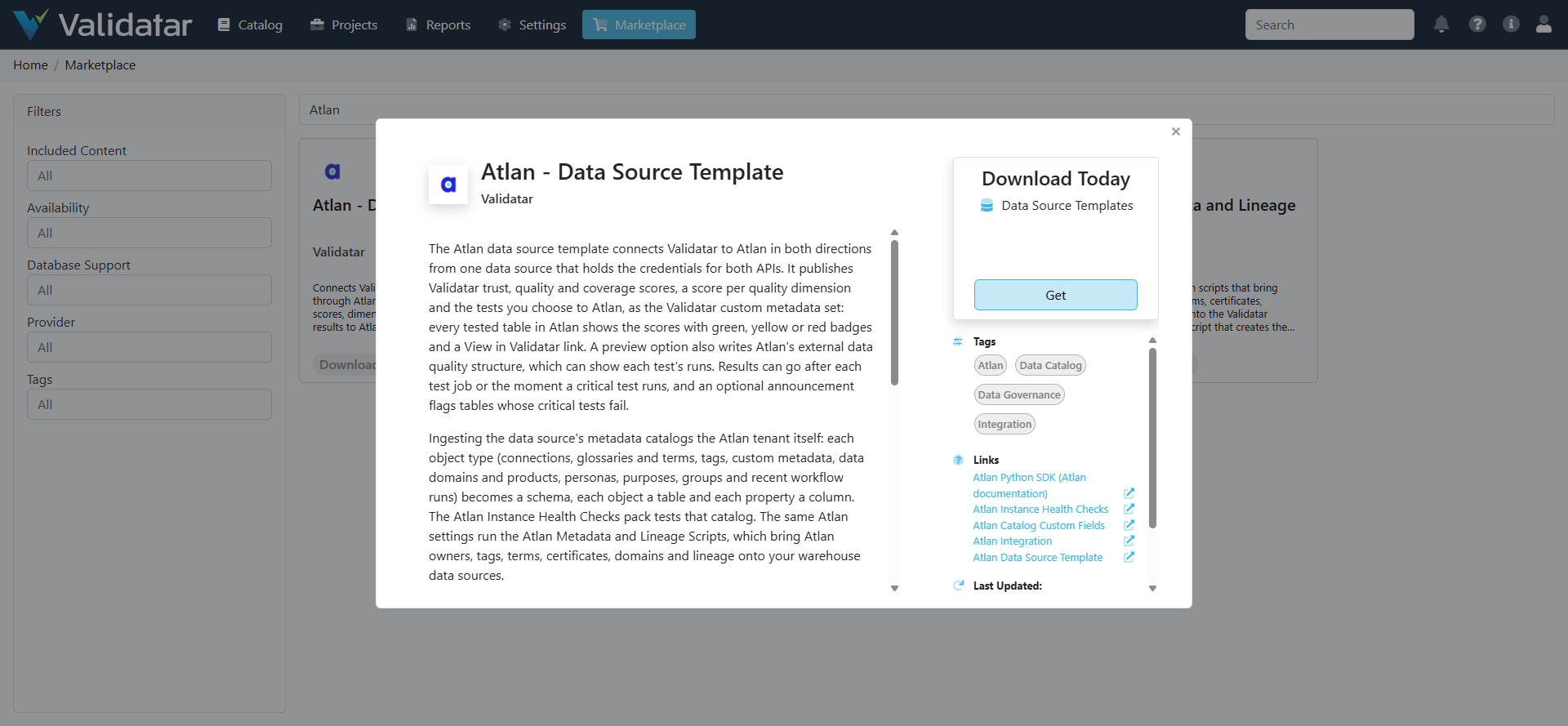
pyatlan==11.4.*into the Python that runs Validatar scripts, as described under How It Works. Demo mode does not need it. - Open Marketplace in Validatar, find Atlan - Data Source Template and choose Get, then Import Directly. Validatar adds it under Settings > Data Source Templates. If a template named Atlan already exists, tick the option to overwrite it.
- Create a data source from the template. If your Python scripts run on a Data Agent, assign the agent group. To try it first, set Demo Mode to true and leave the credentials blank apart from Atlan Base URL, which can be any URL.
- Run Ingest Technical Metadata on the data source and open its catalog. Check the Ingestion Summary schema: every object type should say Loaded, or say why not.
- For real use, turn Demo Mode off, fill in the Atlan credentials and ingest again.
To install from a file instead, download the template from the marketplace listing and import it under Settings > Data Source Templates > Import.
Setting up publishing
- Create the Validatar custom metadata set in Atlan, as described in Atlan Custom Metadata for Validatar.
- Import the Atlan Catalog Custom Fields and the Atlan Project Custom Fields.
- On the Atlan data source, fill in Validatar Base URL, Validatar API Token and Atlan Connection Map, and choose the scope and target.
- Create a test on the Atlan data source whose test data set is the Publish to Atlan macro. Fill Validatar Data Source IDs or leave it blank for every mapped data source. Set the result processing to row count and pass the test when at least one row comes back, since every mapped table produces a row. Add the test as the last step of the scheduled test job.
- Run the job with Dry Run on and read the publish test's rows. When they show what you expect, turn Dry Run off.
- For real-time results on critical tests, add a test action to those tests: trigger Test Ran, then a Run a Macro step on the Atlan data source for Push Test Result to Atlan, with its parameters set to
{{test_url}},{{test_name}}and{{result}}. Test actions need the Standard Test Actions optional feature.
Upgrading
Each Atlan data source, and the connection of each Custom Metadata and Lineage Ingestion source that uses the template, keeps its own copy of the template's pre-execution script. Importing a newer template version does not update those copies. After an upgrade, open each of these connections and make sure its Pre-Execution Script matches the one in Settings > Data Source Templates > Atlan, replacing it where it does not.
Troubleshooting
| Symptom | Cause | Fix |
|---|---|---|
| "pyatlan is not installed in the Python that runs this script" | Demo Mode is off and the runtime lacks pyatlan | Install pyatlan==11.4.*, or turn Demo Mode on |
| "cannot import name 'Sentinel' from 'typing_extensions'" | pyatlan was installed while the Data Agent was running, and the agent still holds the older typing_extensions it loaded before |
Restart the Data Agent service |
| Ingestion stays at Running | The data source runs Python on a Data Agent and none is assigned or connected | Assign the data source to a Data Agent group whose agent is online |
| An object type shows "Skipped: not permitted" | The Atlan identity may not read it | Add the persona or role it needs. Users and API tokens need an admin |
| An object type shows "Not available on this tenant" | The feature is not on this tenant | Nothing to fix |
| Every call returns 401 | The API token expired, or the OAuth client was deleted or its secret regenerated | Update the credentials |
| A call fails with 403 | A persona does not cover the connection or the action | Add the connection or the permission to the persona |
| HTTP 429, or a pause of about a minute | The tenant reached Atlan's 400 requests a minute | Lower Atlan Requests Per Minute, or schedule Atlan jobs apart |
| "atlan_connection_map is empty" or "should look like 12=default/snowflake/..." | The map is missing or malformed | Fill Atlan Connection Map with <id>=<qualified name> pairs |
Publish rows show unmatched |
Atlan has no table or view with that schema and name in the mapped connection | Check the map entry; run the metadata script so tables carry Atlan Qualified Name |
| Publishing fails on the custom metadata set | The Validatar set does not exist in Atlan, or has another name | Create the set, or set Custom Metadata Set Name |
| The test action reports "atlan_object_qualified_name is empty" | The publish test has not run with Dry Run off since the test was opted in | Run the publish test once, or set the field on the test |
| No announcement appears | The table carries another announcement, the scope does not include tests, or the test's Announce Failures in Atlan is not Yes | Check each in turn |
Related Articles
- Atlan Integration
- Atlan Custom Metadata for Validatar
- Atlan Instance Health Checks
- Atlan Metadata and Lineage Scripts
- Atlan Catalog Custom Fields
- Atlan Project Custom Fields
- Data Source Template Macros
- What Is a Data Source Template?
- Python Script Data Source Template
Note: This template is built from Atlan's documentation and its official Python SDK. It has been validated in Validatar against its built-in sample tenant (demo mode), and its Atlan calls have been run through pyatlan 11.4.1 against a simulated Atlan server. pyatlan has been installed on a Validatar Data Agent, where the template's Atlan client loads it and starts in real mode. Both macros have run inside Validatar against the sample tenant with Dry Run off: the publish test wrote the opted-in tests' Atlan targets back to them, and a test action republished its table when the test ran. It has not yet been run against a live Atlan tenant, so parameters and behaviour may change after that validation.