What this pack contains
Fifteen tests that read a Collibra instance and tell you whether it is working and well governed. They run on a data source built from the Collibra Data Source Template. Twelve are standard tests. Three are template tests that create one child test for every database registered in Collibra, taken from the data source's catalog, so a newly registered database gets its own synchronization, ownership and description checks after the next metadata ingestion.
Every test works the same way. It counts the issues it finds, returns that count, and passes at zero. A failing test prints the list of issues in its result and, where the runtime supports it, attaches the list as a CSV file, so you see the unhealthy Edge site, the table with no steward or the obsolete table still feeding another rather than only a number. Thresholds sit in a PARAMETERS block at the top of each script.
| Test | Type | Dimension | Severity | Fails when |
|---|---|---|---|---|
| API reachable and credentials valid | Standard | Performance | Critical | Collibra does not answer within the time limit. Refused credentials make the test error. Every other check depends on this one |
| Edge sites healthy | Standard | Processing | High | An Edge site's status is not HEALTHY. Edge runs schema synchronization, profiling and lineage harvesting, so Collibra stops learning about the databases behind an unhealthy site |
| No failed jobs | Standard | Processing | High | A job (schema synchronization, import or classification) failed or completed with errors in the last 7 days |
| Metadata synchronization current: database | Template, per database | Timeliness | High | The database's schemas were last synchronized more than 7 days ago, or never, so Collibra may describe tables that no longer look that way |
| Table owner and steward coverage: database | Template, per database | Completeness | Medium | Fewer than 50% of the database's tables and views have an Owner or a Steward; lists those without one |
| Responsible users are active | Standard | Relationships | High | A user who holds a responsibility (Owner, Steward or Custodian) is disabled, so workflows and questions go nowhere |
| Description coverage: database | Template, per database | Completeness | Low | Fewer than 50% of the database's tables and views have a description; lists those without one |
| Business terms have definitions | Standard | Completeness | Medium | A business term has no Definition, so it cannot settle what a report's numbers mean |
| No duplicate business terms | Standard | Uniqueness | Medium | Two terms in a domain share a name once case, spacing and punctuation are ignored, such as "Order" and "order" |
| Obsolete tables have no downstream consumers | Standard | Relationships | High | A table or view whose status is Obsolete or Missing from source still feeds other columns in Collibra's lineage |
| No workflows in error | Standard | Processing | Medium | A workflow instance is stuck in error, which leaves its asset in limbo |
| No overdue workflow tasks | Standard | Timeliness | Low | An open workflow task is past its due date |
| No near-duplicate tags | Standard | Consistency | Low | Tags differ only in case, spacing or punctuation, such as PII and pii, so searches and filters on one miss the other |
| Data class suggestions reviewed | Standard | Security | Medium | A data classification suggestion has waited more than 14 days for a steward to accept or reject it. An unreviewed suggestion on a column of personal data means the column is not yet treated as sensitive |
| Validatar feed into Collibra is current | Standard | Timeliness | High | Validatar's Data Quality Rules in the Validatar domain have not changed in 2 days |
Every test name in Validatar starts with Collibra -, for example Collibra - No failed jobs. Child tests add the database's table name, such as Collibra - Metadata synchronization current: SAMPLE_DW [98512984], and are placed in a folder named after their template test.
The last test watches the integration itself. If the publish step stops, Collibra keeps showing old scores, and this test is how you find out.
A check the integration's Collibra credentials may not run shows as Error, with a message naming what could not be read, rather than passing. Three checks see more with broader roles: Responsible users are active needs a role that can list users, and No failed jobs and No overdue workflow tasks see only the integration's own jobs and tasks unless its role can see every user's.
Where to get it
Marketplace: Collibra Instance Health Checks
Prerequisites
- A Collibra data source created from the Collibra Data Source Template, with Ingest Technical Metadata run at least once. The template tests select their databases from its Database schema.
- Collibra credentials that can read the physical data dictionary domains of your databases, and the broader roles above for the checks that need them.
- To try the pack without Collibra, turn on Demo Mode on the data source. The built-in sample instance makes 13 of the 21 results fail on purpose, so you can see what a failing result looks like.
Import
- Ingest the Collibra data source's metadata first. The template tests need its catalog.
- Create a folder for the pack in the target project, for example Collibra Instance Health Checks. The tests are imported straight into the folder you choose.
- Open Marketplace in Validatar, find Collibra Instance Health Checks, choose Get, then Import Directly.
- Choose the target project when prompted. The pack is project content, so Validatar asks which project to put it in.
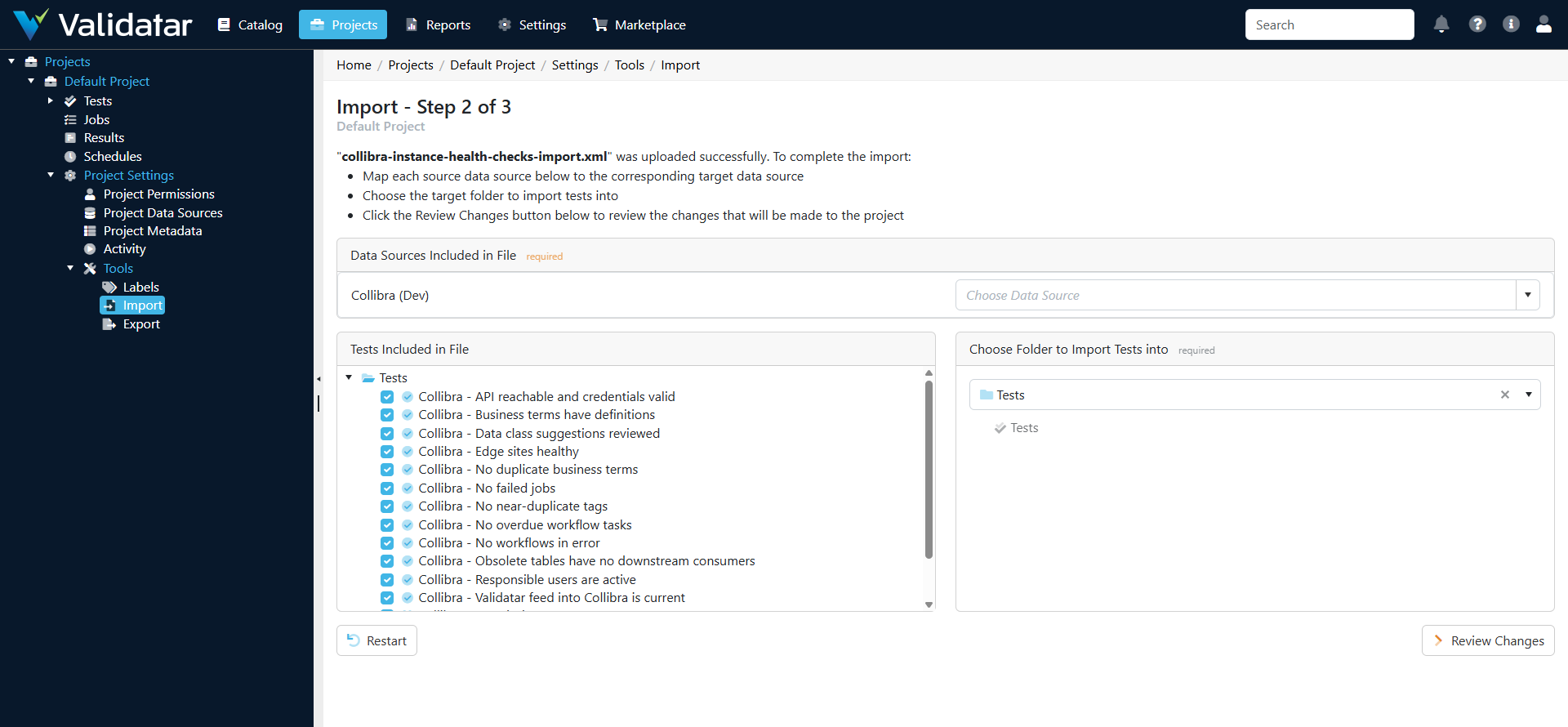
- Map the pack's data source, Collibra (Dev), to your Collibra data source, and choose the folder from step 2.
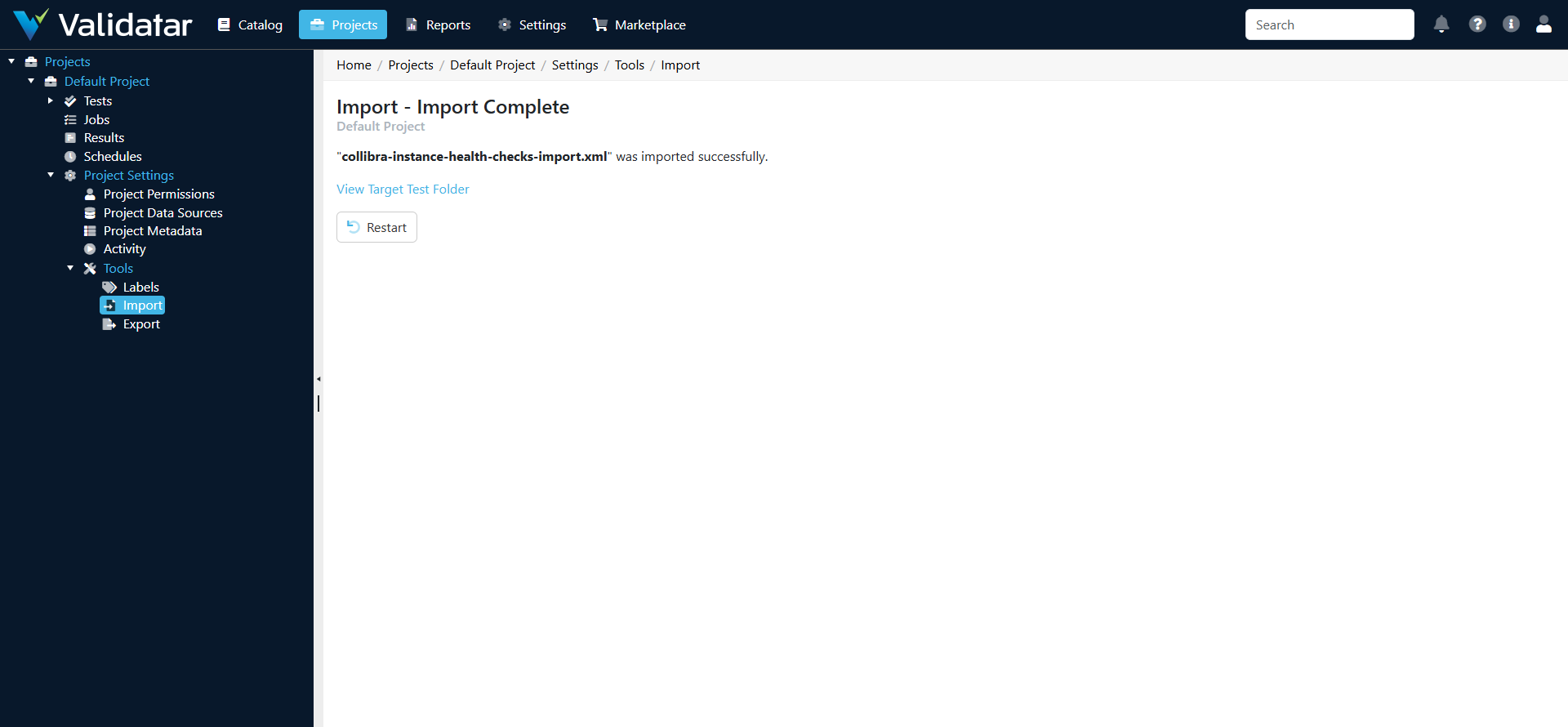
- Choose Review Changes. The review lists the 15 tests to add. Choose Import.
- Open each of the three template tests and generate their child tests, so they pick up the databases in your catalog. See Materializing Child Tests.
- Run the folder, or add it to a job. Daily is a sensible schedule.
To import from a file instead, download the pack from the marketplace listing and import it on the project's Import page.
Adjusting a test
Each script starts with its thresholds. For example, the synchronization check:
# Collibra Instance Health Check: Metadata synchronization current
# PARAMETERS --------------------------------------------------------
MAX_AGE_DAYS = 7           # oldest acceptable synchronization
# -------------------------------------------------------------------
Change a value and save. For a template test, change it on the template test and generate the child tests again. The checking logic lives in the Collibra template, so a newer template version improves every test without re-importing the pack.
| Test | Parameters (default) |
|---|---|
| API reachable and credentials valid | MAX_SECONDS = 10: slowest acceptable answer |
| Edge sites healthy | SITE_NAMES = "": a comma-separated list of the sites to watch, blank for every site |
| No failed jobs | DAYS = 7: how far back to look |
| Metadata synchronization current | MAX_AGE_DAYS = 7 |
| Table owner and steward coverage | MIN_COVERED_PCT = 50 |
| Description coverage | MIN_DESCRIBED_PCT = 50 |
| Obsolete tables have no downstream consumers | STATUSES = "Obsolete,Missing from source" |
| No overdue workflow tasks | GRACE_DAYS = 0: days past due before a task counts |
| Data class suggestions reviewed | MAX_AGE_DAYS = 14: oldest acceptable open suggestion |
| Validatar feed into Collibra is current | MAX_AGE_DAYS = 2; DOMAIN_ID = "", blank for the Validatar Data Quality domain |
| Responsible users are active, Business terms have definitions, No duplicate business terms, No workflows in error, No near-duplicate tags | none |
Metadata synchronization current reads the newest successful job named after the database's Edge connection, and otherwise the newest change to its schema assets. How Collibra names schema synchronization jobs has not yet been confirmed on a live instance.
What the demo instance shows
With Demo Mode on, the sample instance is a fictional company with three databases registered through Edge and these deliberate problems:
| Test | Result | Why |
|---|---|---|
| Edge sites healthy | Fails | The site edge-dmz is UNHEALTHY, with an upgrade pending |
| No failed jobs | Fails | The CRM schema synchronization failed two days ago: connection refused |
| Metadata synchronization current | Fails for crm | The CRM database was last synchronized 19 days ago |
| Table owner and steward coverage | Fails for crm | Two of the three CRM tables have no Owner or Steward |
| Responsible users are active | Fails | The steward of the CRM opportunities table is a disabled user |
| Description coverage | Fails for crm | Two of the three CRM tables have no description |
| Business terms have definitions | Fails | Net Revenue and Churn have no definition |
| No duplicate business terms | Fails | "Order" and "order" |
| Obsolete tables have no downstream consumers | Fails | STAGE.RAW_ORDERS, status Obsolete, still feeds PUBLIC.ORDERS |
| No workflows in error | Fails | An approval workflow on Net Revenue failed to notify its steward |
| No overdue workflow tasks | Fails | "Review term: Churn" is 20 days past due |
| No near-duplicate tags | Fails | "PII" and "pii", "Customer Data" and "customer-data" |
| Data class suggestions reviewed | Fails | Two suggestions on CRM columns have waited more than a month |
Everything else passes, including Validatar feed into Collibra is current, because the sample's Validatar domain holds two rules published a day earlier. With the template tests' child tests (one per database) a demo run gives 21 results: 8 pass and 13 fail by design. The sample's SAMPLE_DW database passes every per-database check; it is the one the Collibra Metadata and Lineage Scripts use in their own demo.
Troubleshooting
| Symptom | Cause | Fix |
|---|---|---|
| A template test has no child tests | The Collibra data source's metadata has not been ingested, or the child tests were not generated | Run Ingest Technical Metadata, then generate the child tests |
| A test shows Error saying the credentials may not read something | The Collibra identity lacks a permission or role | Add it, or remove the test |
| No failed jobs or No overdue workflow tasks passes while you know of failures | The integration's role sees only its own jobs and tasks | Give it a role that sees every user's |
| A child test errors because its database is not found | The database was removed from Collibra, or the credentials no longer see its domain | Ingest the Collibra data source's metadata again and regenerate the child tests |
| Metadata synchronization current fails for a database you know is current | Its synchronization jobs are named differently from the Edge connection | Check the job names in the data source's Job schema; the test falls back to the newest change to the database's schemas |
| Validatar feed test fails | Publishing to Collibra is not set up, is in Dry Run, or uses another domain | Set up publishing, or set DOMAIN_ID |
Related
- Collibra Data Source Template
- Collibra Integration
- Collibra Setup for Validatar
- Collibra Metadata and Lineage Scripts
- Materializing Child Tests
- Quality Dimensions
Note: These tests are built from Collibra's documentation and published OpenAPI specifications, and have been tested offline against the built-in sample Collibra instance. Inside Validatar, the pack imported from the Validatar marketplace and gave its 21 designed results against that instance: 8 pass and 13 fail. They have not yet been run against a live Collibra instance, so thresholds and some checks may change after that validation.